


4D SIMULATION
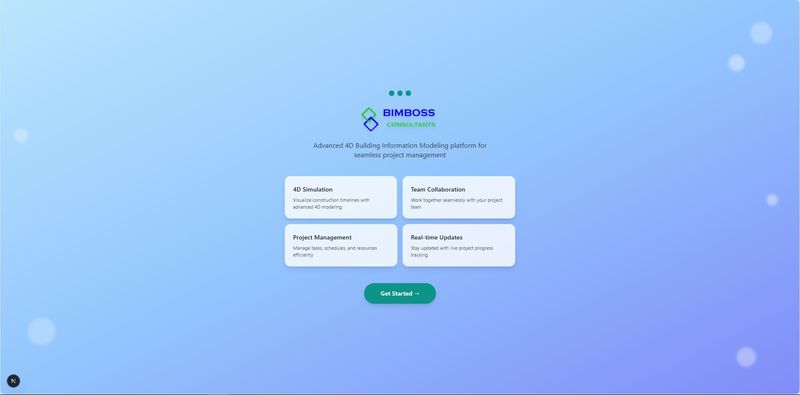
AI-powered 4D BIM web application that combines 3D Building Information Models with project scheduling to create a powerful construction management platform.
Definition
Authentication & Authorization - JWT-based authentication with secure token management - 4 User Roles: Admin, Manager, Team Leader, Member - Role-based access control (RBAC) - Team-based data isolation - Secure password hashing (bcrypt) Team Management - Create and manage multiple teams - Assign team leaders and members - Team-based project access - Role hierarchy enforcement Project Management - Multiple BIM Sources: - Speckle integration - Local IFC file upload (max 100MB) - Autodesk Construction Cloud - Autodesk Drive - roject creation with team assignment - Start/End date tracking - Progress monitoring - Team leader assignment Advanced Gantt Chart - 5 View Modes: Week, Month, 1 Year, 2 Years, 3 Years - Project Selector: View all projects or specific project - Smart Filters: - Team filter - User filter - Role filter - Visual Features: - Color-coded task status - Progress bars - Hover tooltips - Task statistics - Role-Based Views: - Admin: All tasks - Manager: Their teams' tasks - Te
In Depth
4D SIMULATION is an AI-powered 4D BIM application that links 3D models with construction schedules to create visual construction sequences. The AI capabilities automate schedule linking, optimize construction phasing, and simulate what-if scenarios for schedule changes.
Tool Details
Yes, 7 days
India
Examples
This gives contractors, designers, and owners a clear view of project progress, helps reduce delays, and improves communication across all stakeholders
4D Simulation ultimately turns your BIM model into a dynamic planning and coordination tool that supports smarter, data driven decision making throughout the entire construction lifecycle
Nomic Use Cases
See how Nomic applies this in production AEC workflows:
Frequently Asked Questions
Authentication & Authorization - JWT-based authentication with secure token management - 4 User Roles: Admin, Manager, Team Leader, Member - Role-based access control (RBAC) - Team-based data isolation - Secure password hashing (bcrypt) Team Management - Create and manage multiple teams - Assign team leaders and members - Team-based project access - Role hierarchy enforcement Project Management - Multiple BIM Sources: - Speckle integration - Local IFC file upload (max 100MB) - Autodesk Construction Cloud - Autodesk Drive - roject creation with team assignment - Start/End date tracking - Progress monitoring - Team leader assignment Advanced Gantt Chart - 5 View Modes: Week, Month, 1 Year, 2 Years, 3 Years - Project Selector: View all projects or specific project - Smart Filters: - Team filter - User filter - Role filter - Visual Features: - Color-coded task status - Progress bars - Hover tooltips - Task statistics - Role-Based Views: - Admin: All tasks - Manager: Their teams' tasks - Te
This gives contractors, designers, and owners a clear view of project progress, helps reduce delays, and improves communication across all stakeholders. 4D Simulation ultimately turns your BIM model into a dynamic planning and coordination tool that supports smarter, data driven decision making throughout the entire construction lifecycle.
Project Research: Instantly access all project-critical information from a single search interface.