


QGIS AI Vectorizer
The AI Vectorizer is a QGIS plugin that acts as an autocomplete for map digitization. The plugin runs our proprietary AI model which allows GIS users to trace features more quickly than doing it all by hand.
Definition
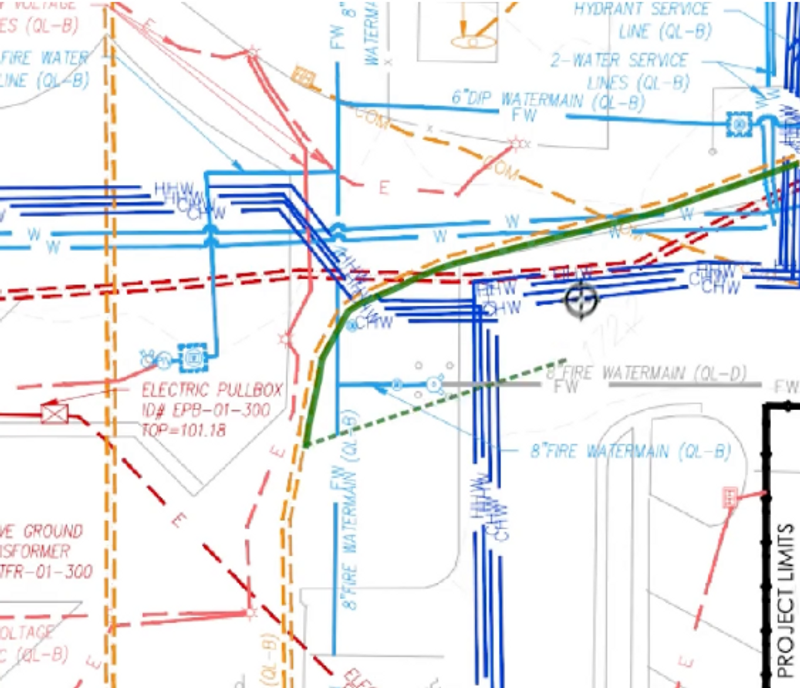
Our QGIS plugin works on straight, curved, and bent lines. Solid, dashed, dotted, and dash-dot styles of any color typically work well.For context, our customers have had success with CAD renderings, hand-drawn engineering diagrams, geologic maps, topographical contour lines, and utility maps.
In Depth
QGIS AI Vectorizer (by Bunting Labs) uses AI to convert raster maps and aerial imagery into vector GIS data. For site planning and civil engineering, the tool automates the digitization of existing site features from aerial photographs and survey scans.
Tool Details
Part time
Full time
More than 30 days
United States
Examples
Creating and editing drawings with QGIS AI Vectorizer
Nomic Use Cases
See how Nomic applies this in production AEC workflows:
Frequently Asked Questions
Our QGIS plugin works on straight, curved, and bent lines. Solid, dashed, dotted, and dash-dot styles of any color typically work well.For context, our customers have had success with CAD renderings, hand-drawn engineering diagrams, geologic maps, topographical contour lines, and utility maps.
Creating and editing drawings with QGIS AI Vectorizer.
Automated Drawing Review: Automatically review drawings against building codes, internal standards, and client requirements.