


Ideate BIMLink
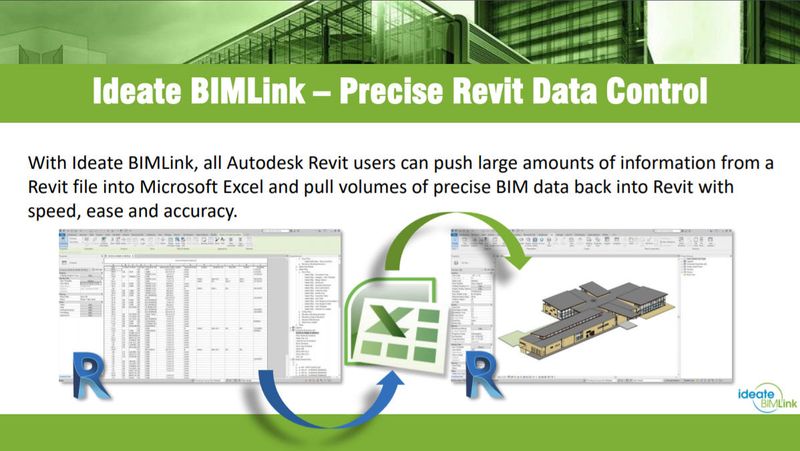
Revit add-on for importing/exporting Revit data to/from Microsoft Excel
Definition
Why choose Ideate BIMLink?Linking Revit and Excel with Ideate BIMLink enables you to export data from Revit to Excel, streamlining data management tasks and dramatically reducing the time they take to perform. Importing data from Excel to Revit means that your models will be instantly updated with all changes, making them clean and correct. Boost the Power of Ideate BIMLink with Ideate AutomationIdeate AutomationAdd Ideate Automation to your subscription* to reduce the cost of repetitive BIM tasks by letting them run in the background while your staff does more meaningful work. This scripting solution, which can be run manually or scheduled to run at a more convenient time, provides just-in-time information about key Revit model metrics by automating many Revit workflows, such as:Producing document issue recordsExporting PDFsExporting health check dataPreparing COBie data dropsGenerating quantity takeoff data
In Depth
Ideate BIMLink connects Revit to Excel for bidirectional data management. AI can enhance this connection by automating the data validation and cross-referencing that ensures model data stays synchronized with spreadsheet-based project information.
Tool Details
Single-User (stand-alone) 1 License
Multi-User (Cloud Network) 1 License
Multi-User (Cloud Network) 5 License
Examples
Linking Revit and Excel with Ideate BIMLink enables you to export data from Revit to Excel, streamlining data management tasks and dramatically reducing the time they take to perform
Nomic Use Cases
See how Nomic applies this in production AEC workflows:
Frequently Asked Questions
Why choose Ideate BIMLink?Linking Revit and Excel with Ideate BIMLink enables you to export data from Revit to Excel, streamlining data management tasks and dramatically reducing the time they take to perform. Importing data from Excel to Revit means that your models will be instantly updated with all changes, making them clean and correct. Boost the Power of Ideate BIMLink with Ideate AutomationIdeate AutomationAdd Ideate Automation to your subscription* to reduce the cost of repetitive BIM tasks by letting them run in the background while your staff does more meaningful work. This scripting solution, which can be run manually or scheduled to run at a more convenient time, provides just-in-time information about key Revit model metrics by automating many Revit workflows, such as:Producing document issue recordsExporting PDFsExporting health check dataPreparing COBie data dropsGenerating quantity takeoff data
Linking Revit and Excel with Ideate BIMLink enables you to export data from Revit to Excel, streamlining data management tasks and dramatically reducing the time they take to perform.
Project Research: Instantly access all project-critical information from a single search interface.