


NonicaTab PRO
Revit® Toolbar with +20 popular tools (Room Finishing, Color Splasher, Align Tags / Views, Master Purger, Model Cleaners ... )
Definition
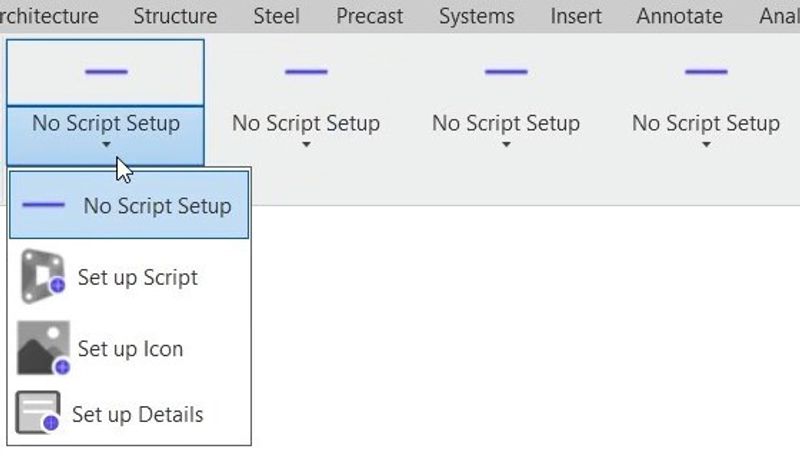
Custom Revit® Toolbars made easy.★ Most Popular Paid Apps for Revit at Autodesk App Store ★❝It´s a very helpful tool that makes your job quicker. The customer service is 100 stars.❞ Laura Crisan, Engineer at Jacobs PRO members can customize the Revit toolbar with 3 profiles of 12 buttons each, using ready-to-use tools (or Dynamo scripts) and animated icons. Profiles (Default, Beta, and Gamma) can be easily switched to use different sets of tools (up to 36).Click and Go. Choose a toolbar from our library and shape it. Small Revit buttons included:Color Elements by Parameter Value.Room Finishes (Create Wall Finishes / Skirtings, Create Floor Finishes).Super Align: Align or Distribute Tags, Elements, Views, ... like in M. Word (Alignment Tool).Element Renumbering.To 3D View / Auto-Section Box.Bulk Duplicate Sheets & Views.Bulk Rename Views & Sheets.Isolate / Manage Warnings.Master Purger / Models Cleaner.Scope Box Purge.Purge CADs (DWG Links and Imports).Extend / Shrink elements length.Co
In Depth
NonicaTab PRO extends the NonicaTab platform with advanced field management features. AI adds automated inspection analysis and quality tracking capabilities.
Tool Details
Basic
Pro
More than 30 days
Examples
Generate MEP hangers or supports in networks of pipes, conduits, HVAC,
Nomic Use Cases
See how Nomic applies this in production AEC workflows:
Frequently Asked Questions
Custom Revit® Toolbars made easy.★ Most Popular Paid Apps for Revit at Autodesk App Store ★❝It´s a very helpful tool that makes your job quicker. The customer service is 100 stars.❞ Laura Crisan, Engineer at Jacobs PRO members can customize the Revit toolbar with 3 profiles of 12 buttons each, using ready-to-use tools (or Dynamo scripts) and animated icons. Profiles (Default, Beta, and Gamma) can be easily switched to use different sets of tools (up to 36).Click and Go. Choose a toolbar from our library and shape it. Small Revit buttons included:Color Elements by Parameter Value.Room Finishes (Create Wall Finishes / Skirtings, Create Floor Finishes).Super Align: Align or Distribute Tags, Elements, Views, ... like in M. Word (Alignment Tool).Element Renumbering.To 3D View / Auto-Section Box.Bulk Duplicate Sheets & Views.Bulk Rename Views & Sheets.Isolate / Manage Warnings.Master Purger / Models Cleaner.Scope Box Purge.Purge CADs (DWG Links and Imports).Extend / Shrink elements length.Co
Generate MEP hangers or supports in networks of pipes, conduits, HVAC,.
Project Research: Instantly access all project-critical information from a single search interface.